

Trusted by 750+ contractors



































Teams Integration
Pipeline Events Delivered Straight to Your Teams Channels
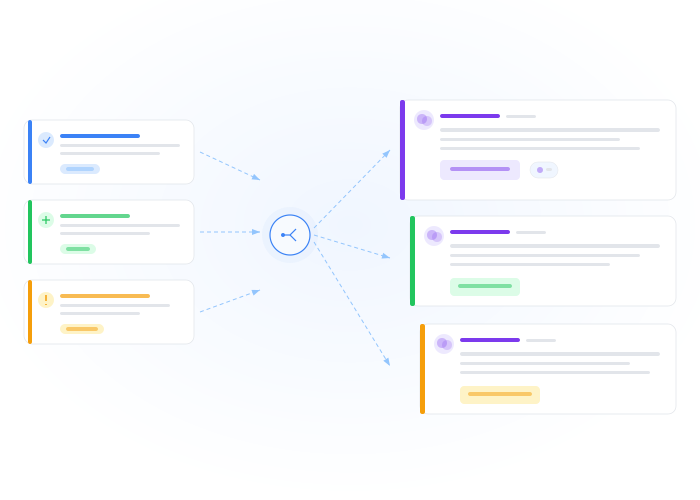
Connect CLEATUS to Microsoft Teams using incoming webhooks. When a pursuit moves from Qualify to Capture, a new contract enters your pipeline, or an amendment drops — your team sees it instantly in the right Teams channel with full context: contract title, agency, NAICS, deadline, and assigned owner.
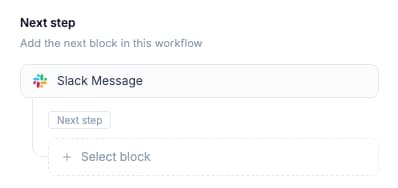
Smart Routing
Route Alerts by Event Type, Agency, or Priority
Use workflow logic gates to route different events to different Teams channels. High-value opportunities go to the leadership channel. Amendments go to the active pursuits channel. Deadline reminders go to the assigned BD lead. Keep signal-to-noise ratio high across your organization.
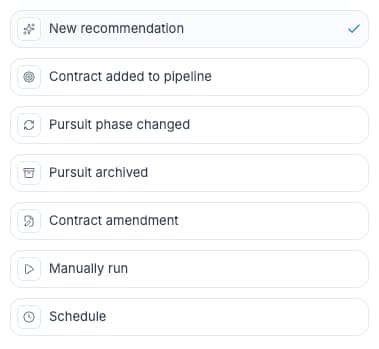

Ready to Bring Your Pipeline into Microsoft Teams?
Get pipeline changes, opportunity alerts, and deadline reminders in your Teams channels automatically
Real-time Teams notifications for every pipeline event
Rich formatting with contract details and AI insights
Route events to the right channel by type or priority
Connect in minutes via incoming webhook
Works alongside Slack, email, and in-app notifications
Join 750+ contractors already using CLEATUS
Related Workflows
Slack Pipeline Notifications
Pipeline changes, new opportunities, amendments, and deadline alerts — delivered to your Slack channels automatically. CLEATUS keeps your te...
GovCon CRM Integration via Webhooks & Zapier
Push opportunity data, pipeline changes, AI analysis, and award alerts to Salesforce, HubSpot, Zapier, or any system with an API. CLEATUS we...
Automated BD Pipeline Reporting
Stop spending Friday afternoons compiling pipeline data. CLEATUS generates a comprehensive BD report every week — new opportunities, pipelin...