
Qualifications · Federal form
SF 330Architect-Engineer Qualifications
Prepare your architect-engineer qualifications, project examples, and team resumes for a federal submission.
Also written as SF-330 or SF330.
- Edition
- 07/2021
- Pages
- 14
- Source checked
- 2026-10-13
Free download and editing. Use the agency’s supplied copy when your solicitation requires it.
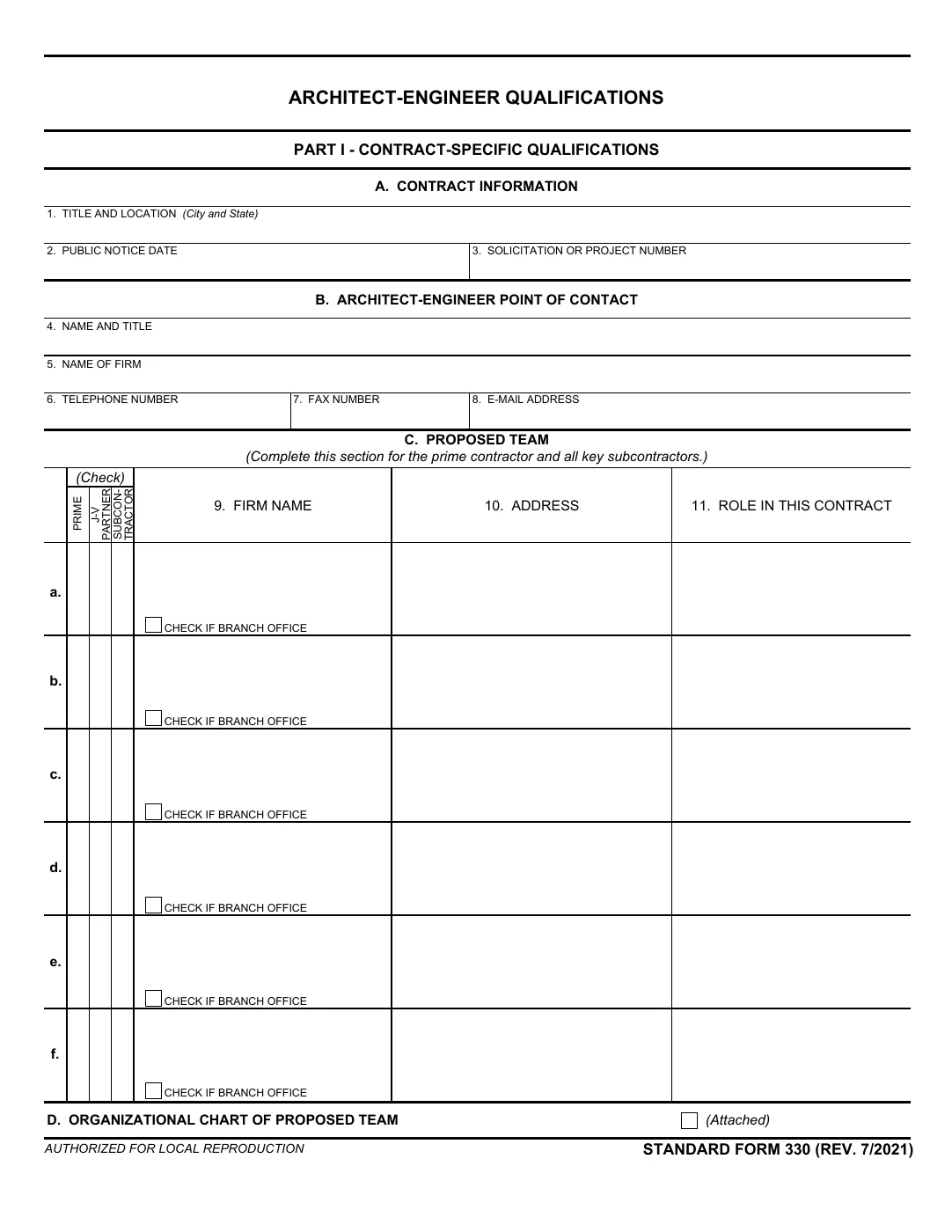 Preview original · PDF page 9
When to use SF 330
Use Standard Form 330 when an architect-engineer notice requests it. Part I presents qualifications for a specific contract. Part II records the general qualifications of a firm or branch office. Follow the notice for page limits, project selection, and submission requirements.
Gather these before you start
- The notice and its evaluation criteria
- The proposed team, responsibilities, and organization chart
- Current resumes and professional registrations
- Relevant projects with accurate dates, roles, and client references
- Firm and branch-office information for Part II
How to prepare SF 330
CLEATUS guidance, based on the official form. Your solicitation controls the specific submission requirements.
Parts I and II: choose the requested submission
Read the general instructions first. The downloadable file includes both parts. Submit the parts requested by the notice, using its page limits and delivery instructions. A saved general qualifications record does not replace a contract-specific response.
See official form, PDF page 1Part I, Sections A–D: identify the opportunity and team
Enter the contract information and point of contact. Identify each proposed firm and its role. Attach the Section D organization chart after Section C. Show the key personnel from Section E and their firms from Section C.
See official form, PDF page 9Section E: key personnel
Prepare one Section E for each key person using verified experience, education, and professional registrations. The instructions allow up to five relevant projects per person. These projects do not have to be the team projects listed in Section F. Follow any additional agency instructions.
See official form, PDF page 10Section F: example projects
Complete one Section F per example project. The form calls for ten projects unless the agency specifies otherwise. Describe the project’s relevance and identify which proposed firms performed the work. Keep the project key numbers consistent with Section G.
See official form, PDF page 11Section G: key personnel participation
Copy the names and proposed contract roles from Section E in the same order. List the Section F project keys. Mark an X only where the person participated in that example project in the same or a similar role.
See official form, PDF page 12Sections H and I: additional qualifications and authorization
Use Section H for additional information relevant to the selection criteria. Check the notice before adding material. An authorized representative of the prime contractor or joint venture signs and dates Section I. The signature attests that the information is current and factual and that all proposed firms agree to work on the project.
See official form, PDF page 13Part II: general qualifications
Prepare a separate Part II for each firm proposed with Part I. For firms with branch offices, prepare separate Part II records for the branches with a key team role. Use accurate staffing, experience, and revenue information as the instructions specify. Part II can also be filed separately with agencies to record general qualifications. Follow any agency-specific submission instructions.
See official form, PDF page 14Fictional example · Do not submit
Make a project example specific to your team’s role
Section F: project title
Cedar Creek Operations Building Renovation (fictional)
Use the real project title in your submission. Keep the same project number in Section G.
Section F: relevant work
Architectural design and construction-phase support for an occupied operations building.
Explain the work your firm actually performed and how it addresses the selection criteria.
Section G: personnel participation
Jordan Lee | Proposed role: Project architect | Project 1: X (fictional).
Copy the person and proposed role from Section E. Mark X for Project 1 only if the person worked on it in the same or a similar role.
Before you submit
- Match each requested selection criterion to supporting information.
- Reconcile Section F project keys with Section G. Section E resumes may use other relevant projects.
- Confirm client references and personnel information.
- Apply the notice’s page limits and file naming rules.
- Have the authorized representative review the completed submission.
Common questions
Can I reuse SF 330 for another opportunity?
You can reuse accurate firm information, resumes, and project records. Select and update the material for the new notice. Part I is contract-specific, and the agency may request different projects or qualifications.
Where are the fillable pages?
This edition includes instructions before the form pages. Part I begins on PDF page 9, and Part II is on PDF page 14. These positions include the eight instruction pages. The editor opens the form pages while preserving the full original document for export.
Official sources and edition
Published by the General Services Administration. Form revision: 07/2021. Source checked: 2026-10-13. The download preserves the official original. Guidance and examples are independently prepared by CLEATUS.