
Setting Up Company Branding
Save your logo, letterhead, and brand guidelines once, so every proposal and workspace starts on brand.
Company branding is one brand kit that your whole company shares. The agent in your proposals and workspaces applies the kit to the documents that it writes. It puts letters on your letterhead and uses your heading style. It uses your body font where the solicitation leaves room. This guide shows you how to set up the kit and what the agent does with it.
Before you start:
Collect your logo, your Word letterhead (.docx), and your brandsheet as a Portable Document Format (PDF) file. Every field is optional, so start with what you have.
Set up your brand kit
Open Company branding
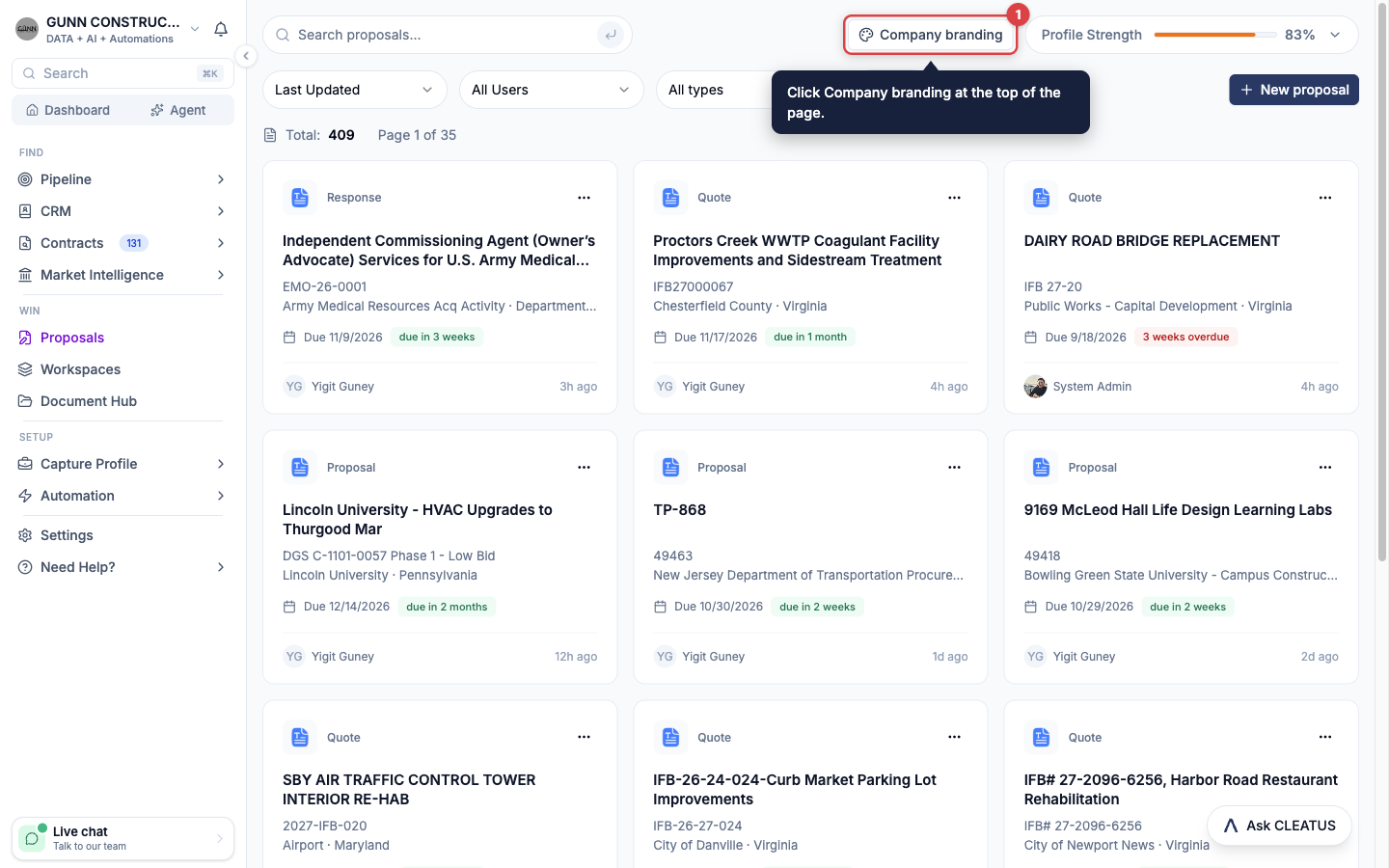
Open Proposals or Workspaces from the Win section of the sidebar. Click Company branding at the top of the page. Inside a proposal or a workspace, click the palette icon (Company branding) in the header. Each entry point opens the same kit.
Add your logo
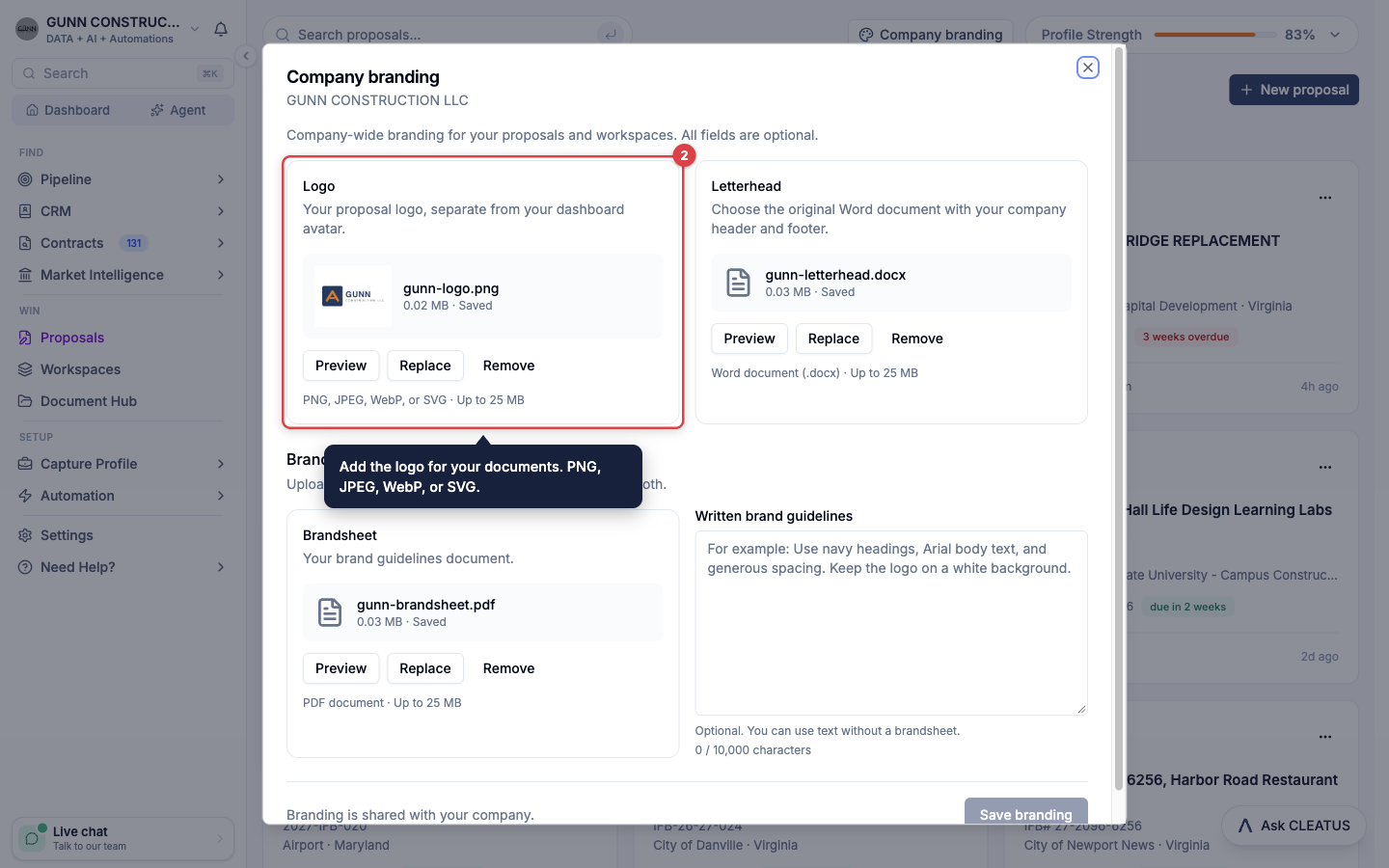
Under Logo, click Choose logo. Select a PNG, JPEG, WebP, or SVG file of up to 25 MB. This logo is for your documents. It does not change your dashboard avatar.
Add your letterhead
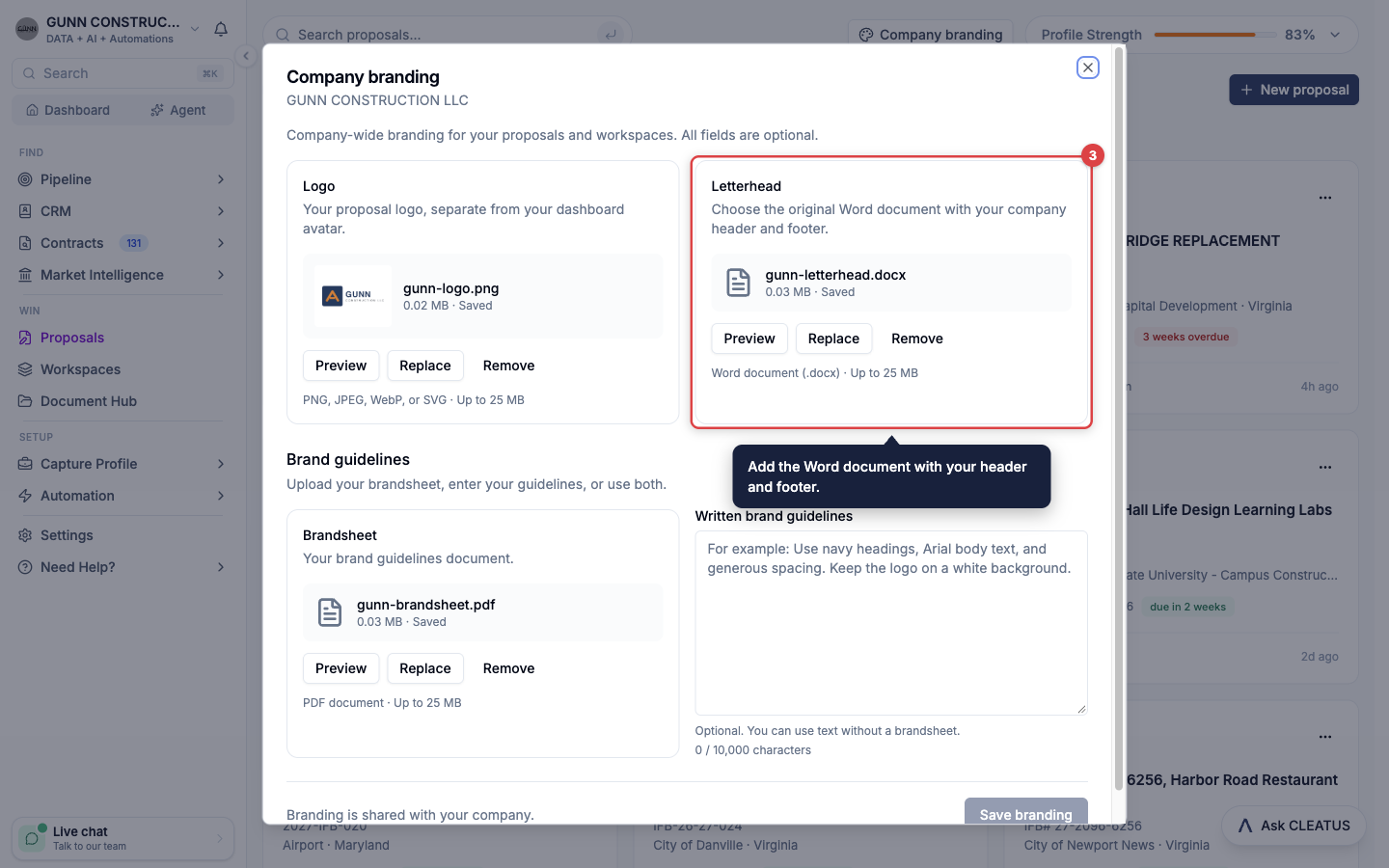
Under Letterhead, click Choose letterhead. Select the original Word document (.docx) that holds your company header and footer, up to 25 MB.
Add your brand guidelines
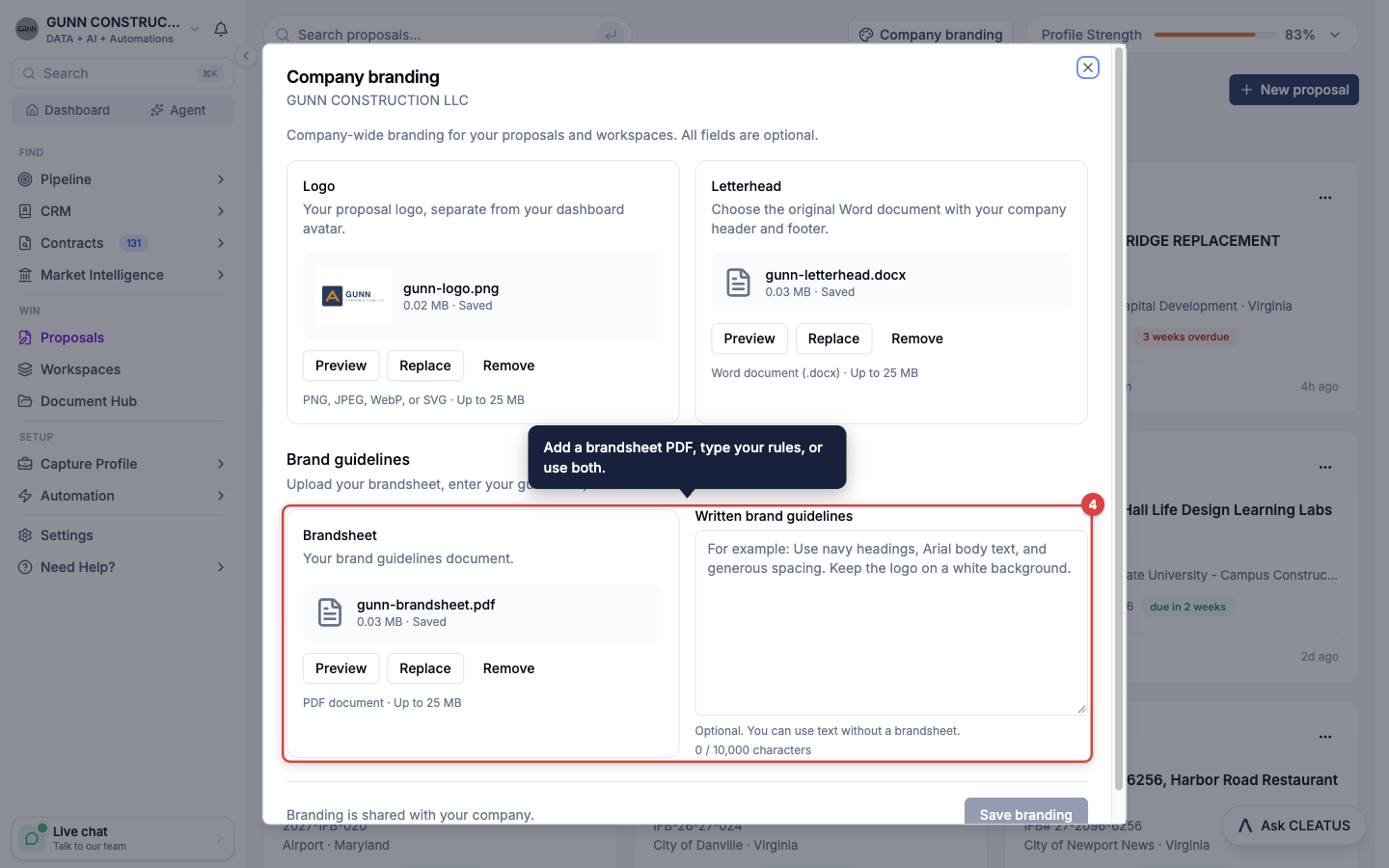
Under Brand guidelines, click Choose brandsheet and select a PDF of up to 25 MB. You can also type your rules in Written brand guidelines, up to 10,000 characters. Use one or both.
Save the kit
Click Preview to check a file. Then click Save branding. The message Company branding saved. confirms the save.
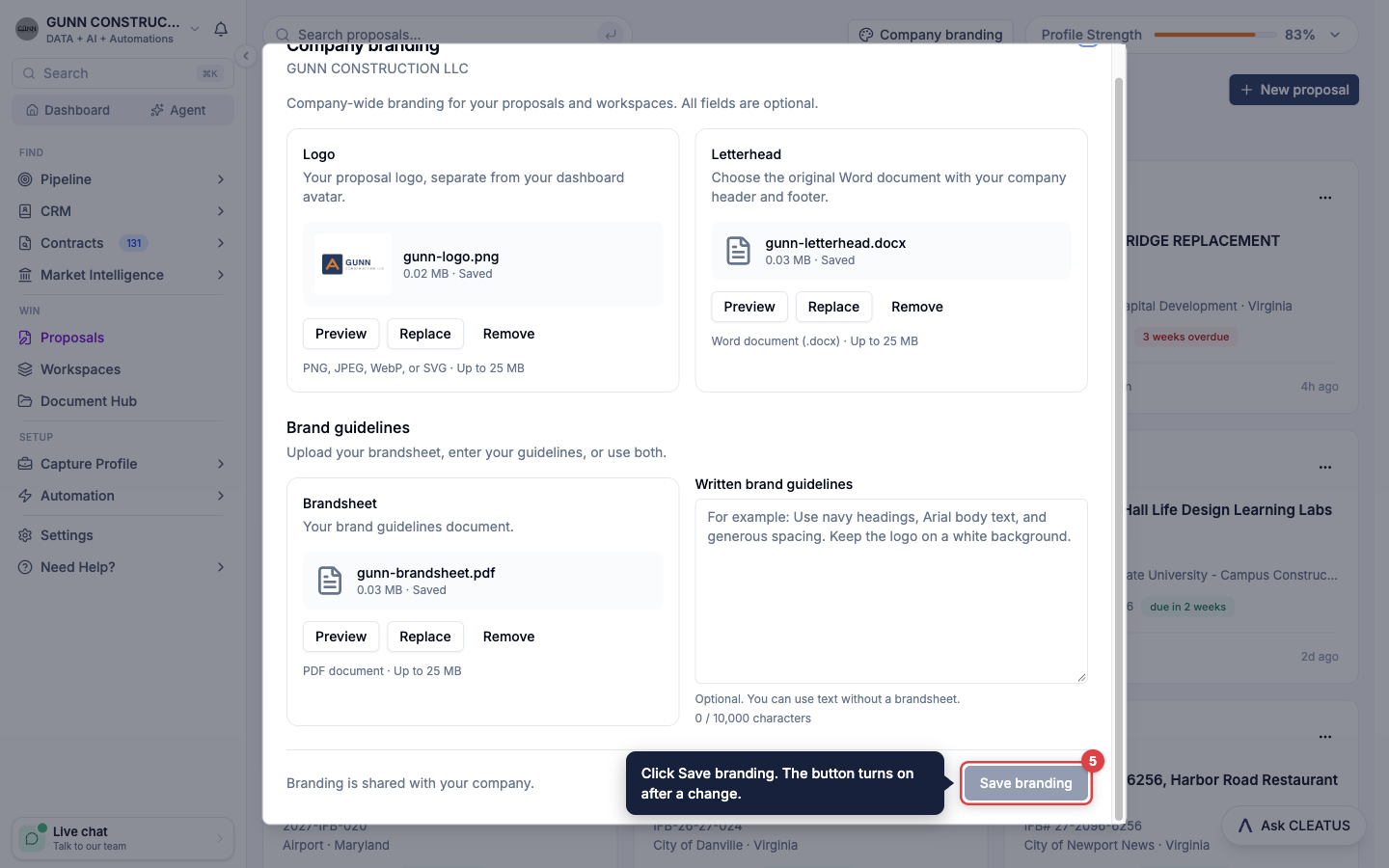
To change the kit later, click Replace or Remove on a file, or edit the text. Then click Save branding again. CLEATUS keeps no change until you save it.
Tip:
Written guidelines win where they disagree with the brandsheet. If your brandsheet is a scanned image, the agent cannot read colors and fonts from it. Type them in Written brand guidelines, for example your hex color codes and your font names.
What the agent applies
- Letters. A cover letter, a transmittal letter, or other correspondence starts from a copy of your letterhead. The header and the footer stay as you made them.
- Headings. Headings use the heading color and the heading typeface from your kit.
- Body font. The body text uses your brand font when the solicitation names no font.
- Logo. The agent does not put the logo into a document. It tells you which document the logo belongs on, for example the cover page. To add the logo, drop the image into the Word document. See Writing a Proposal.
- A report after each document. The agent states in one line which brand assets it applied and any rule that replaced a brand value.
- The compliance matrix. In a proposal, the agent records the brand values in the format rows of the compliance matrix, marked as company preference.
In a proposal with no saved kit, the agent can ask once whether you want to add one. It does not stop the work for it.
Your saved logo also heads the subcontractor research pack that GovCon Copilot exports. Without a saved logo, the pack uses your company profile image.
The solicitation wins
Brand values fill only what the solicitation leaves open. Mandatory fonts, sizes, spacing, margins, page limits, and supplied Government forms always win over your kit. When a requirement blocks a brand value, the agent applies the requirement and tells you about the conflict. The agent never restyles a supplied form. In a standalone workspace, the same rule applies to the formatting rules that you or a supplied template state.
Fonts in exports:
A Word document shows your typeface only when the reader has that font installed. A PDF export uses one of three embedded font families. When the export substitutes a font, the agent names the substitute.
When a change takes effect
- New proposals and workspaces use the saved kit.
- When you save the kit inside a proposal or a workspace, CLEATUS copies it into that proposal or workspace at once.
- An existing proposal or workspace gets the saved kit the next time you open it.
- A document that the agent already wrote keeps its styling. To apply a changed kit, ask the agent to write the document again.
- A logo or brand file that you attach in the chat stays in that workspace. The agent cannot save it as company branding, so add it in Company branding instead.
Who can change the kit
Everyone in your company works from the same kit. Limited Members can view it but cannot change it. If a teammate saved the kit while you edited it, click Discard draft and reload saved branding. See Adding Users for the roles.
Company branding comes with the Proposal Writer, on the DATA + AI + Automations plan and the GovCloud plan. See Plans and pricing.