
Researching a Part for DIBBS
Look up a National Stock Number, see who may supply it and who won it before, and decide whether to quote.
The Defense Logistics Agency (DLA) buys spare parts on the DLA Internet Bid Board System (DIBBS). Each part has a National Stock Number (NSN). This guide shows you how to research a part before you quote. You learn whether you may quote, which companies DLA approves, and what DLA bought before.
Or just ask CLEATUS
Who are the approved sources for NSN 5305-00-054-6672, and can any supplier quote it?
The agent looks up the part in the DLA catalog and returns its competition code. It also lists each approved source with its Commercial and Government Entity (CAGE) code and part number.
Before you start:
Have the NSN, the part number, or the item name from the solicitation. To get DIBBS solicitations in your recommendations, turn on DIBBS in Capture Profile > Company Details, in the Contract Source section.
Find the part
Open NSNs
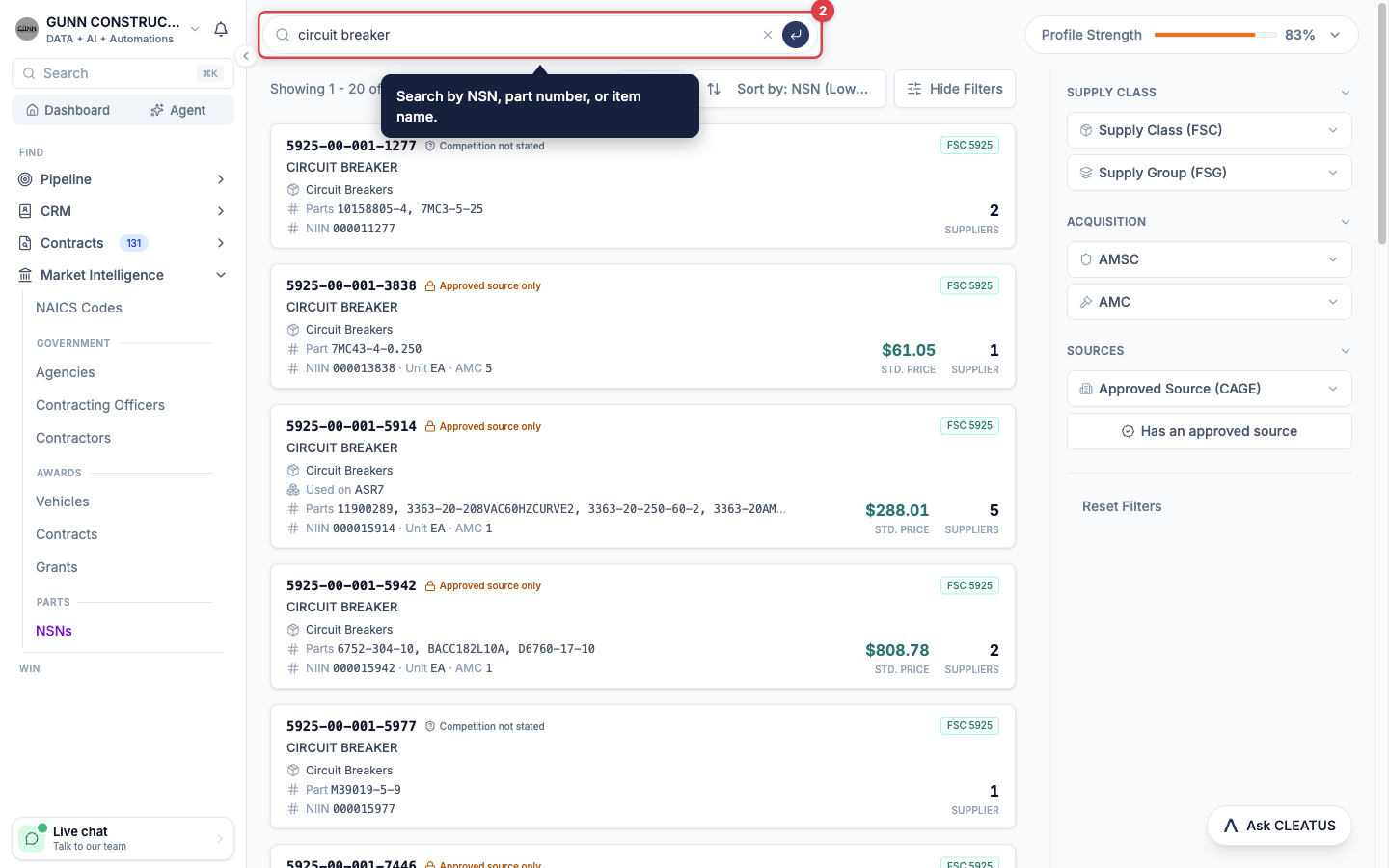
Open Market Intelligence > NSNs in the sidebar. The page searches the full DLA parts catalog.
Search for the part
Search by NSN, part number, or item name. Type the NSN with dashes, without dashes, or as the 9-digit National Item Identification Number (NIIN). All three find the same part. For a part number, type the whole number.
Filter the catalog
Use the filters on the right. Filter by Supply Class (FSC), the Federal Supply Class, or by Supply Group (FSG), the Federal Supply Group. Filter by AMSC, the acquisition method suffix code, or by AMC, the acquisition method code. To see the parts of one supplier, enter its 5-character CAGE code in Approved Source (CAGE). When you browse without a search or a filter, Has an approved source is on. Turn it off to see every part.
Scan the results
Each result shows the NSN, the item name, the standard price, the number of approved suppliers, and the competition status. Click a part to open its page.
Read the part page
Check whether you can quote
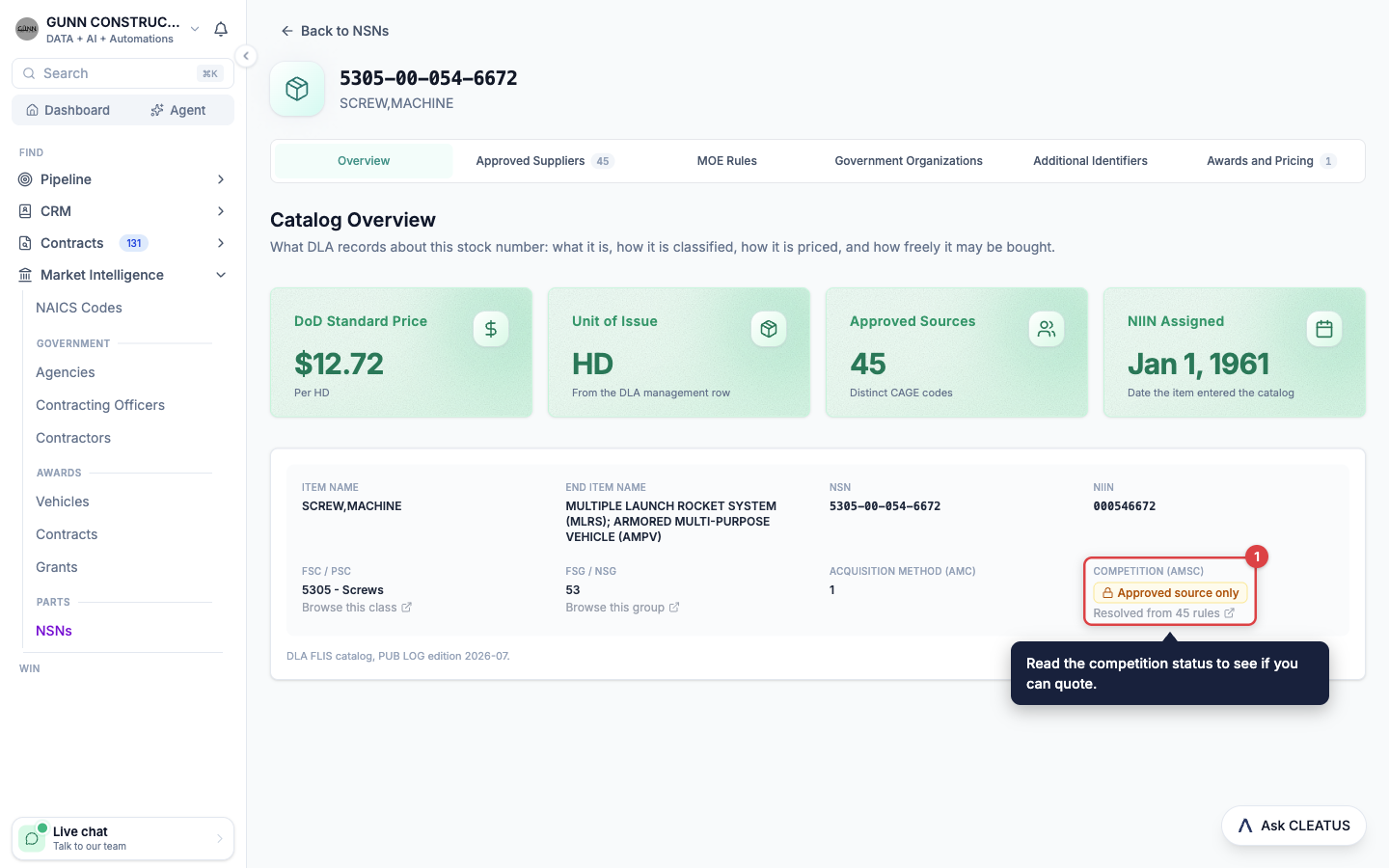
On the Overview tab, read the Competition (AMSC) field. Openly competable (AMSC G) means that the government holds full technical data rights. Any capable supplier can quote, and the approved suppliers are only the companies that supplied the part before. Approved source only means that DLA accepts quotes only from the approved suppliers. Competition not stated means that DLA did not say. Treat it as unknown, not as restricted.
Read the catalog facts
The Overview tab also shows the DoD Standard Price, the Department of Defense price for the part. Next to it are the Unit of Issue, the number of Approved Sources, and the date the part entered the catalog. Below them are the item name, the end item, and the supply class.
Check the rule of each service
Each service that manages a part has its own rule, and the rules can differ. The Overview tab shows the DLA rule when one exists. Open MOE Rules to see the rule of each Major Organizational Entity (MOE).
Check the approved suppliers
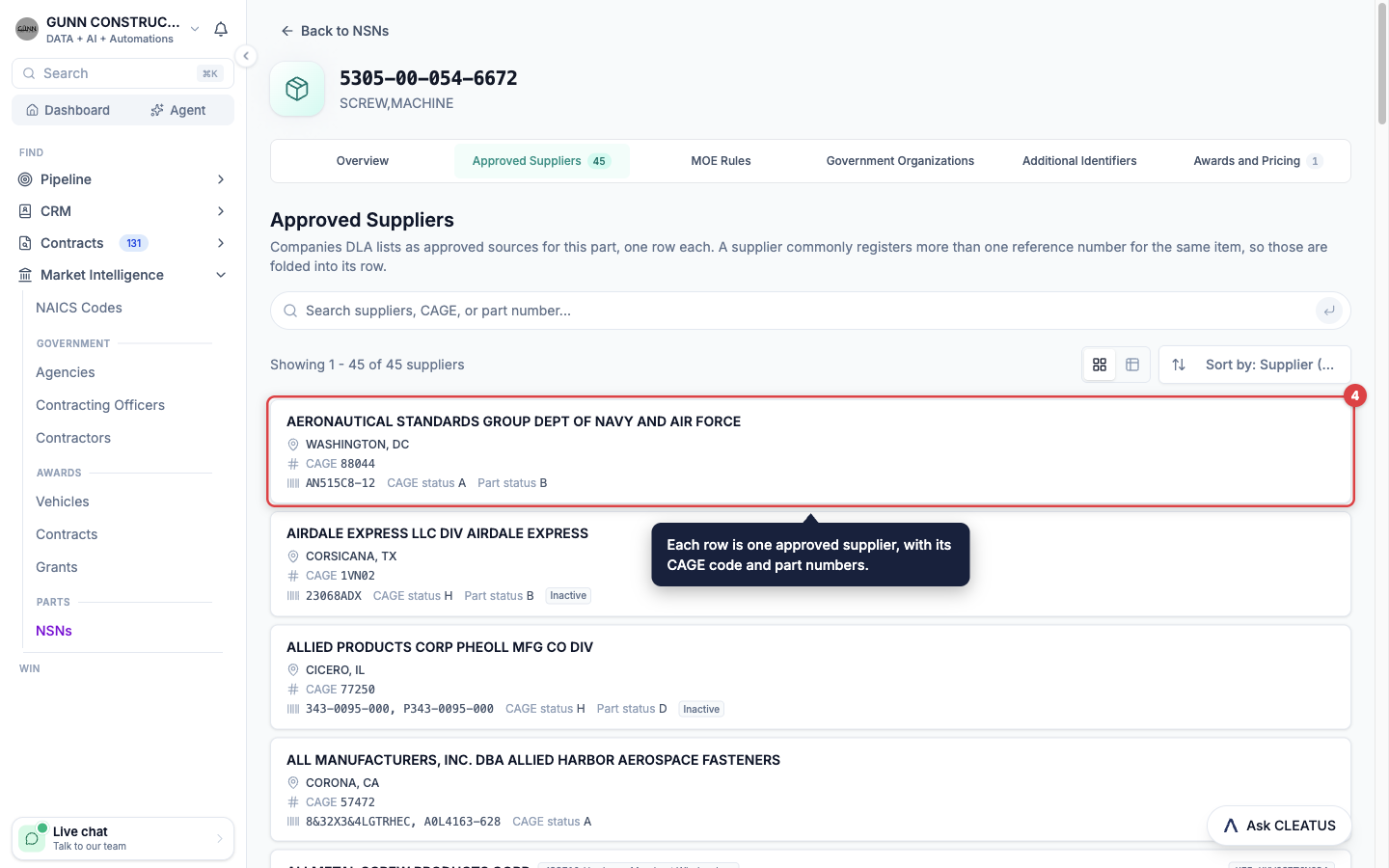
Open Approved Suppliers. Each row is one company that DLA approves for the part, with its CAGE code and its part numbers. A company with a CLEATUS profile links to its contractor page. Search by supplier, CAGE code, or part number.
Review past buys
DIBBS Opportunities lists the solicitations that asked for the part. Awards and Pricing lists the award notices for the part. When DLA posts an award, the solicitation moves to Awards and Pricing. Click a row to open the full notice.
Approved source only parts:
On an approved source only part, DLA buys only from the listed companies. If you are not on the list, you can usually quote only as a distributor of an approved source. To quote your own part, get it approved first. Approval is its own process and takes time.
Check a competitor
Open the competitor
On the Approved Suppliers tab, click a company. You can also search for it in Market Intelligence > Contractors.
Open the Approved Supplier tab
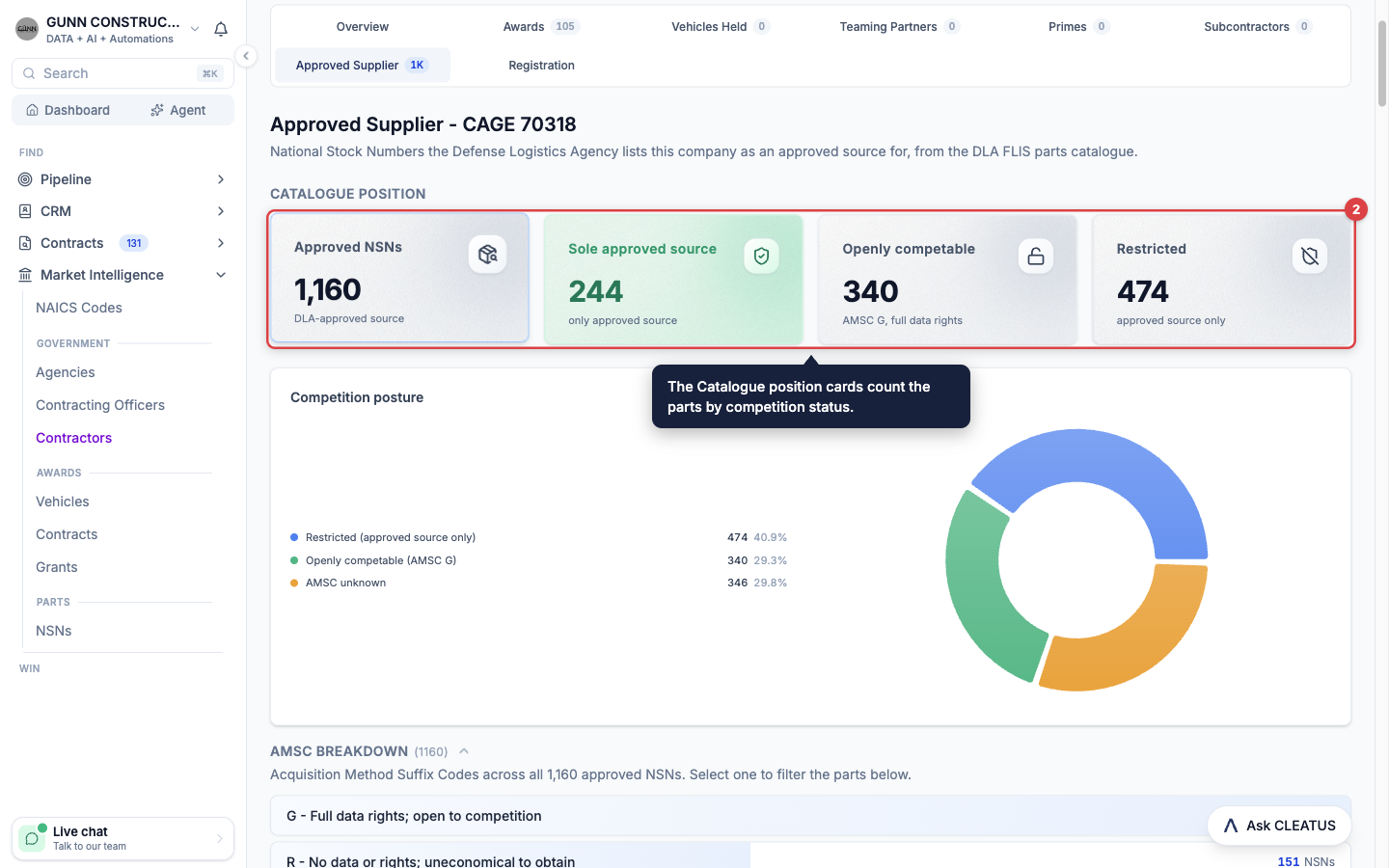
Click Approved Supplier. This tab shows only when DLA approves the company for at least one part. The Catalogue position cards show Approved NSNs, Sole approved source, Openly competable, and Restricted.
Drill into the parts
Click a card, or a slice of the Competition posture chart, to list those parts. Filter by Competition, AMSC, or Federal Supply Class. Search by NSN, item name, or part number.
Read the position
Sole approved source counts the parts where the company is the only approved source. Click View sole-source parts to list them, and read the AMSC on each row. On a restricted part, DLA accepts a quote only from that company. On an openly competable part, you can still quote. Check the Awards tab of the company to see what it won.
Decide and add it to your pipeline
Open the solicitation
On the part page, open DIBBS Opportunities and click a solicitation. You can also find DIBBS solicitations in Contracts > Search. Set the Contract Source filter to DIBBS.
Read the Approved Suppliers card
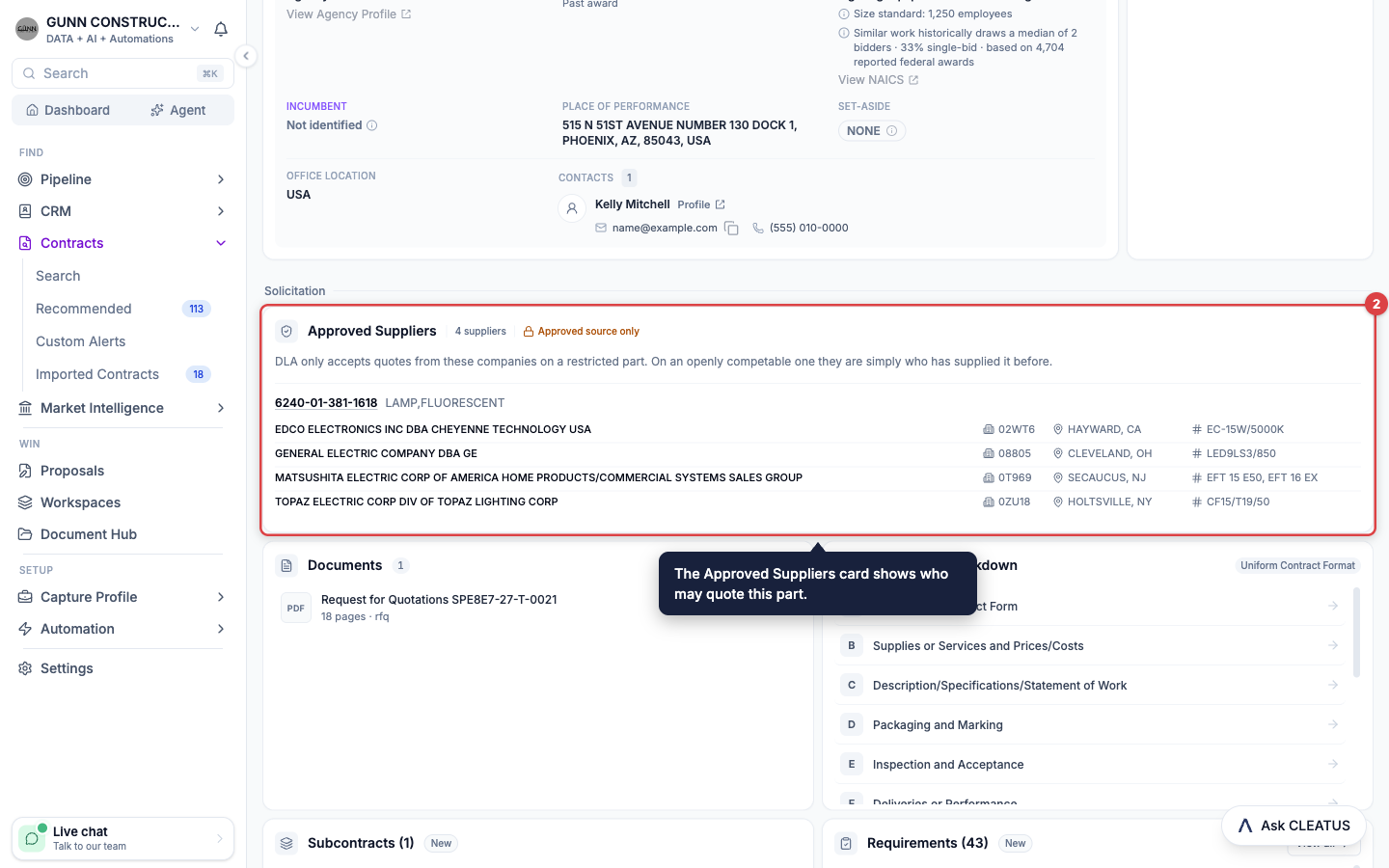
On the General Information tab, the Approved Suppliers card lists the approved suppliers for the part. Each supplier shows its CAGE code, its location, and its part numbers. Sole source means that DLA lists one company and the part is approved source only. One prior supplier means that one company supplied the part, but any capable supplier can quote. On a closed solicitation, the card shows the field to expect on the next buy.
Ask the agent
Open Ask CLEATUS on the solicitation and ask "Can we quote this part, and who are the approved sources?" The agent reads the NSN from the solicitation and checks the DLA catalog.
Add it to your pipeline
Click Add to Pipeline. The pursuit goes to Triage on your pipeline. The pipeline is part of the DATA + AI plan and higher plans.
Tip:
Check the part before you price it. A sole source on a restricted part tells you, in seconds, that a quote is not worth your time.
Related guides
- Market Intelligence
- Exploring Market Intelligence
- Finding Teaming Partners
- Adding a Contract to Your Pipeline
- NSN Lookup
- DIBBS bid automation: screen DIBBS solicitations, check approved sources, and draft batch quotes with AI Workflows