
Using the AI Agent
The agent sits on every screen, knows the page you are on, and does the work for you.
The CLEATUS agent (Ask CLEATUS) is more than a chatbot: it plans, calls tools, and does real multi-step GovCon work. It is available on every screen in the dashboard, it knows which page you have open, and most of what the rest of these guides teach by hand, you can simply ask it to do. It also builds the deliverable at the end, whether that is a spreadsheet, a Word document, or a dashboard.
Before you start:
The agent works best with a complete profile and documents to draw on. See Managing Your Documents.
Two ways to open it
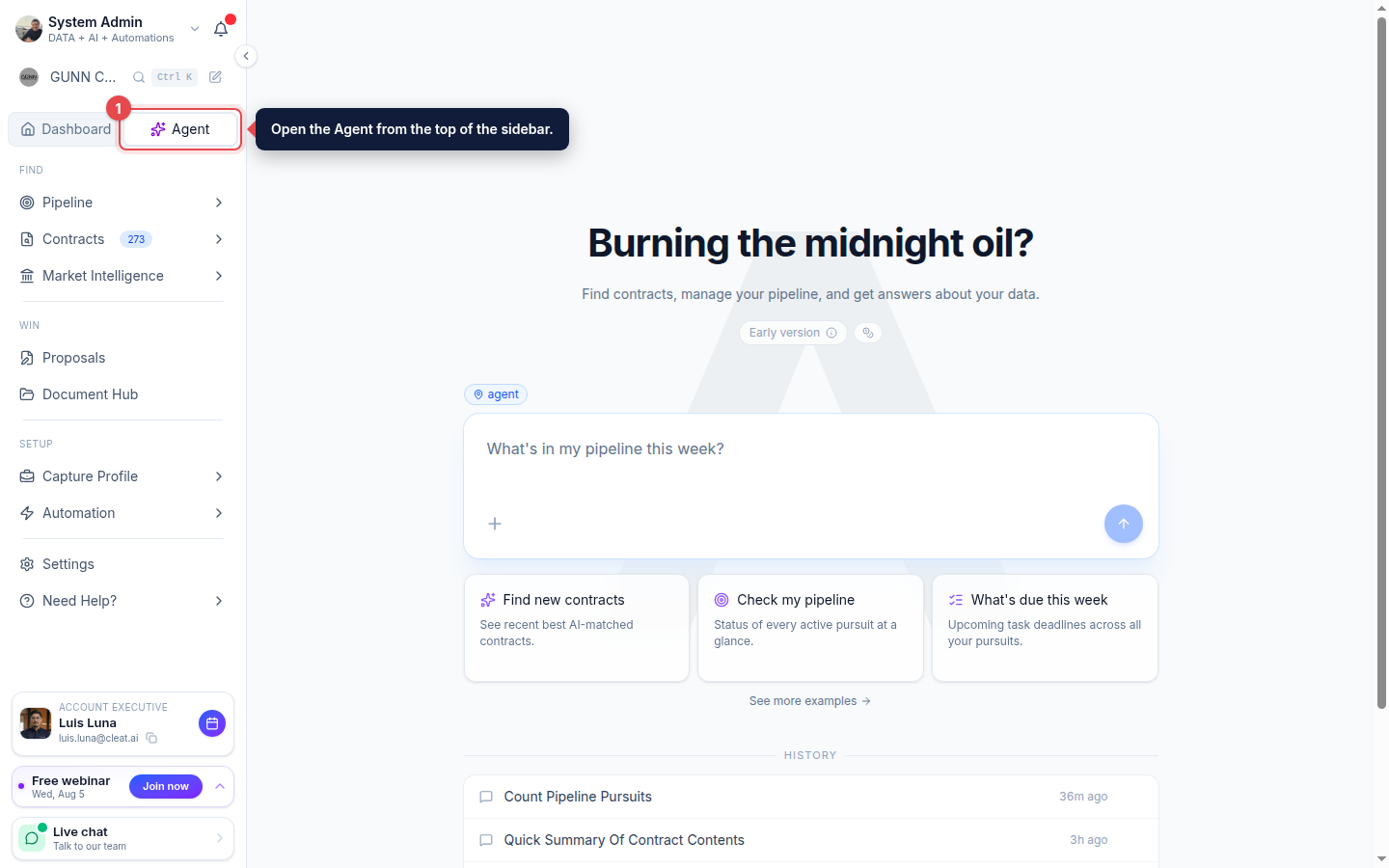
The Agent at the top of the sidebar opens the full-page experience, with your chat history and suggested tasks. Everywhere else, the Ask CLEATUS button sits in the bottom-right corner of the page you are already on. Open it and it becomes a chat panel; expand it and it docks beside your work so you can keep the page in view while the agent runs.
Because it follows you, you never have to leave what you are doing to ask for something. The only place it does not appear is the full-page agent itself, where it would be redundant.
It knows the screen you are on
The agent receives the page you are viewing and the record you have open along with your message. That means you can say this instead of naming things:
- On a contract, "add this to my pipeline" or "does this fit us?"
- On a pursuit, "what is left to do before the deadline?"
- On the Document Hub, "file these under the right agency"
- On your capture profile, "what is missing that would improve my matches?"
- On a workflow, "why did the last run skip everything?"
Contract detail, contract search, pursuits, proposals, the Document Hub, workflows, your capture profile, and every Market Intelligence page (agency, contractor, person, NAICS) all pass their context through.
Ask the agent
Open the agent
Open the Agent (Ask CLEATUS) from the top of the sidebar.
Ask in plain English
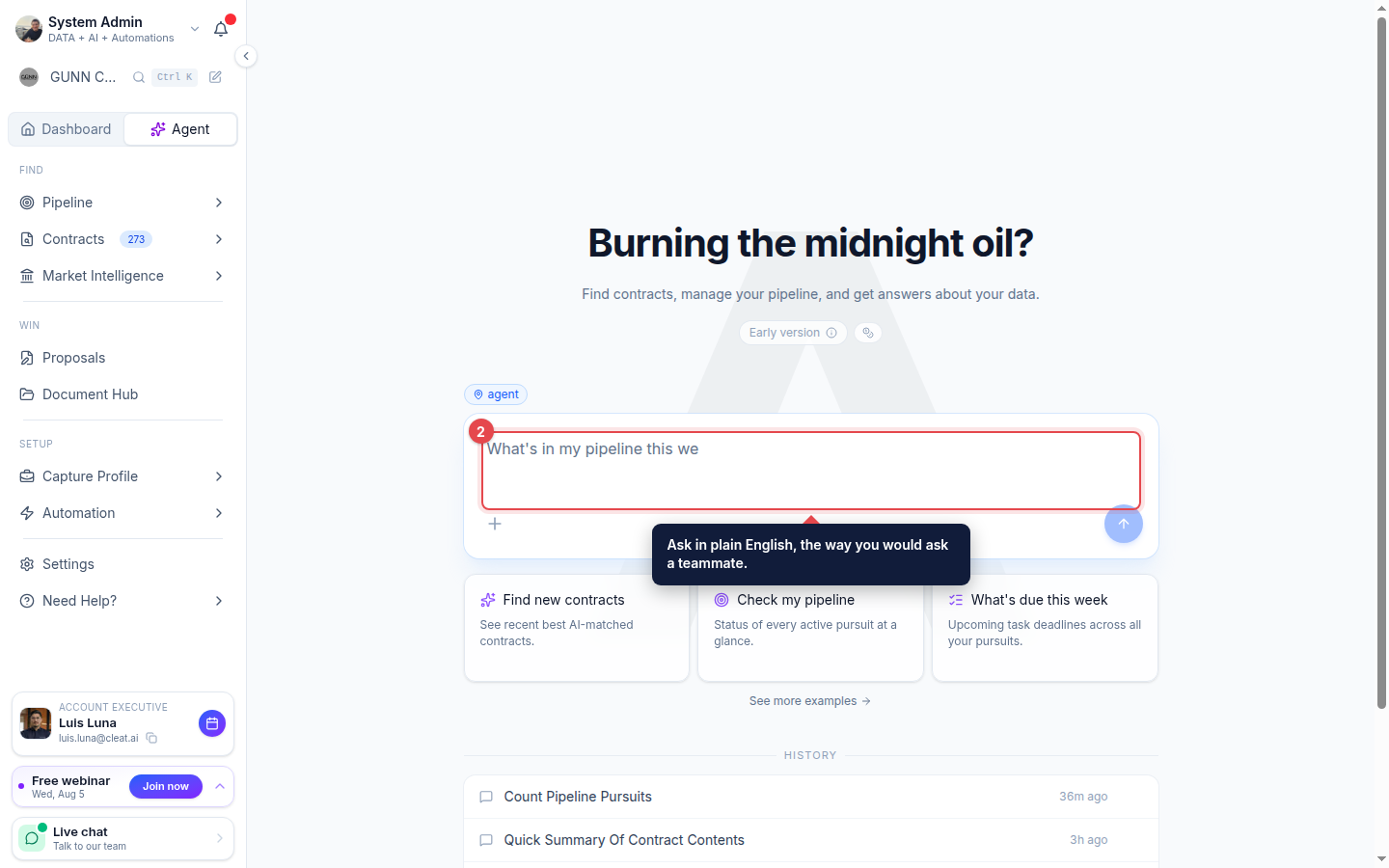
Type your question the way you would ask a teammate, for example "Which active cybersecurity contracts fit us best?". The agent plans its approach and calls tools (search, market intelligence, your documents) before it answers.
Start from a suggestion
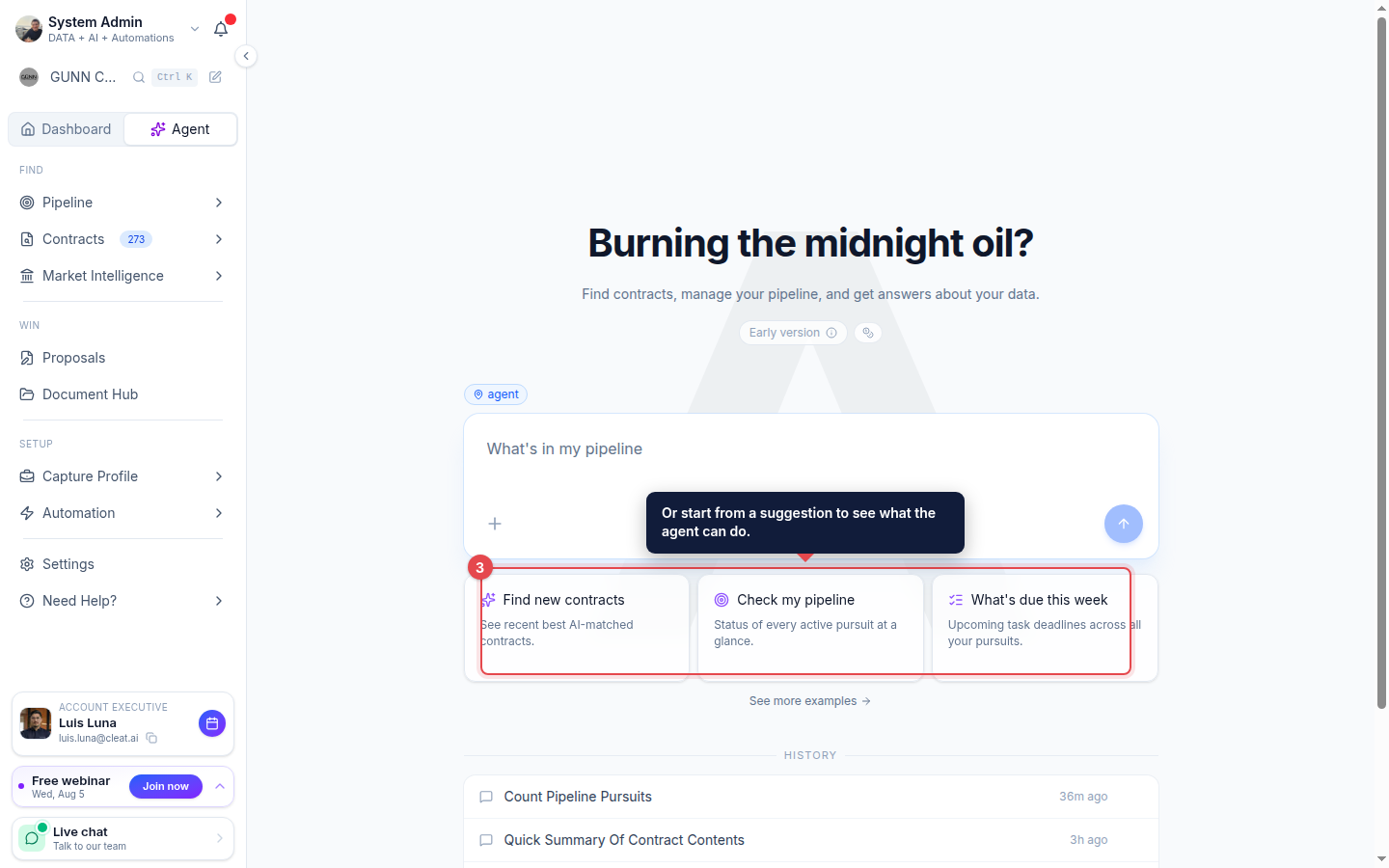
Not sure what to ask? Start from a suggested task like Find new contracts, Check my pipeline, or What is due this week to see the kind of work it can do.
Pick up where you left off
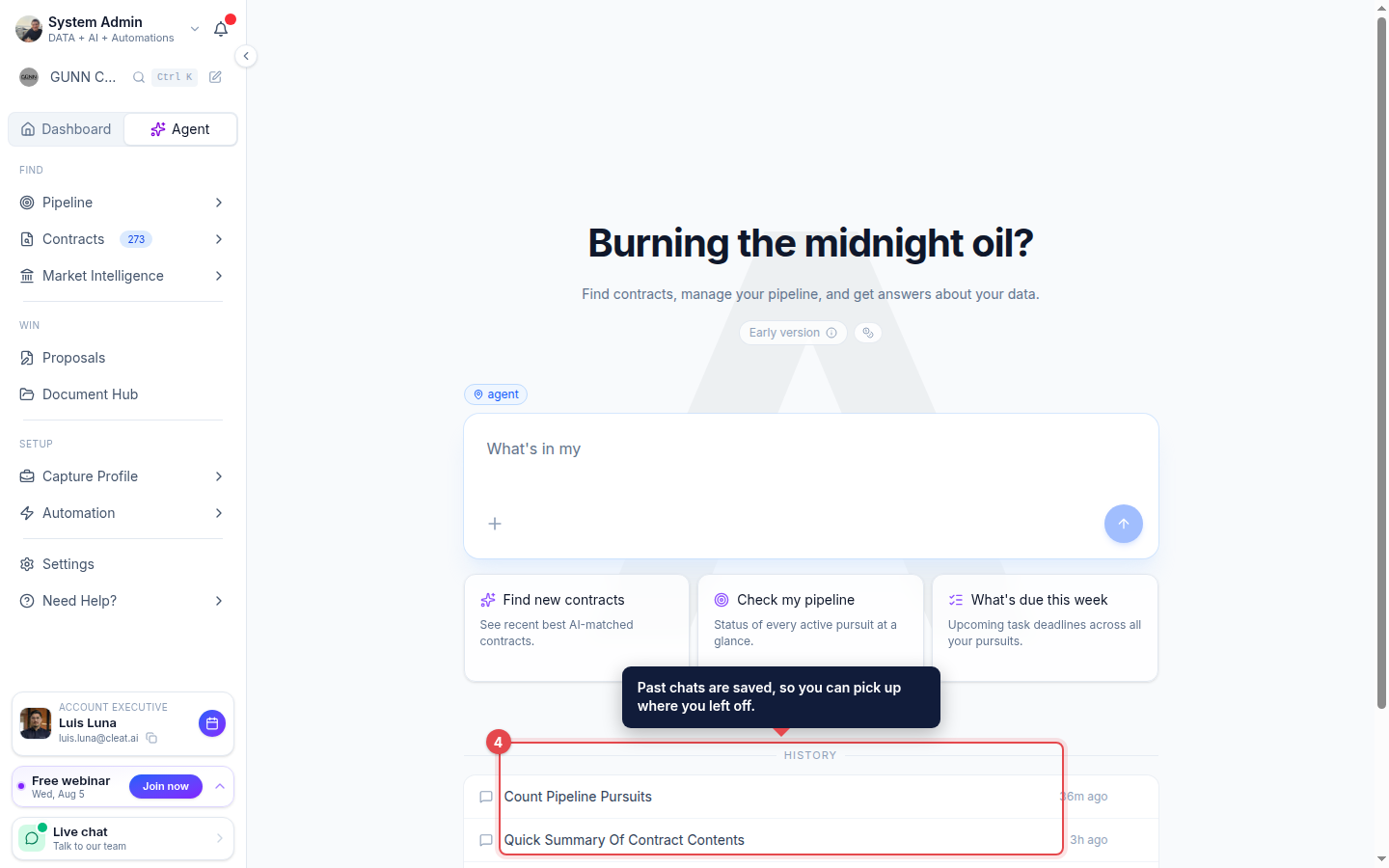
Past chats are saved under History, so you can continue a conversation to refine an answer or start a new chat for a different task.
What you can ask it to do
The agent does not just answer questions about these areas, it makes the changes for you and hands back the file or report at the end.
| Ask it to | For example | Guide |
|---|---|---|
| Find contracts | Find active roof replacement work in Virginia posted this month | Searching for Contracts |
| Save a search and alerts | Save that search and email me when new matches are posted | Saving a Search |
| Work your recommendations | Show my top matches and dismiss anything outside my service area | Reviewing Recommendations |
| Manage your pipeline | Add this to my pipeline, then move it to Proposal Prep | Adding a Contract |
| Create and finish tasks | Add a task to submit past performance by Friday and assign it to me | Managing Tasks |
| Draft proposal content | Draft the technical approach section for this pursuit | Managing Your Proposals |
| Organize your documents | Create a folder per agency and file my capability statements | Managing Your Documents |
| Build and run workflows | Build a workflow that emails me when a match over $1M appears | Managing Your Workflows |
| Tune your capture profile | What is weakening my matches, and drop the preferences that hurt | Company Profile |
| Research the market | Who wins HVAC work at the VA, and which officers run those awards? | Exploring Market Intelligence |
| Build you a file | Export my pipeline to Excel with a tab for each stage | - |
| Build you a report | Chart my win rate by agency this year | - |
It can also mark work done, not just create it: ask it to complete a task, reassign it, or push a due date, and it writes the change back.
Ask for a deliverable, not just an answer
Most chatbots hand you a paragraph. The agent hands you the artifact.
Files you can download. It writes real Excel workbooks (including multi-tab, for example a summary tab plus a breakdown per agency), Word documents, PowerPoint decks, PDFs, CSV, and JSON. Documents come out structured, with headings, paragraphs, lists, and tables, so "give me a compliance summary for this RFQ as a Word doc" produces something you can send, not something you have to reformat.
Reports inside the chat. For anything you want to look at rather than file away, it assembles KPI strips, charts, data tables, comparison grids, and full dashboards in the conversation. It builds those only from data it actually pulled during that turn, so the numbers trace back to your account instead of being invented.
Good to know:
The agent does real multi-step work, so complex questions take a little longer than a chatbot. Two things it cannot do for you: invite teammates, and pull files off your computer into the Document Hub. It can still generate files for you to download, and organize everything already uploaded. Everything else on this page, it can.