
Coverage Explorer
See which federal sources, cooperative purchasing programs, states, counties, and cities CLEATUS tracks, and check your own county or state.
The free CLEATUS Coverage Explorer shows where CLEATUS opportunity data comes from. It lists the federal sources and the cooperative purchasing programs that CLEATUS tracks. You can also check the coverage of each state and county. CLEATUS builds the page from its live database, and the counts refresh daily. You do not need an account.
On the cleat.ai website, the page is named Data Coverage in the header menu and in the footer.
Read the totals
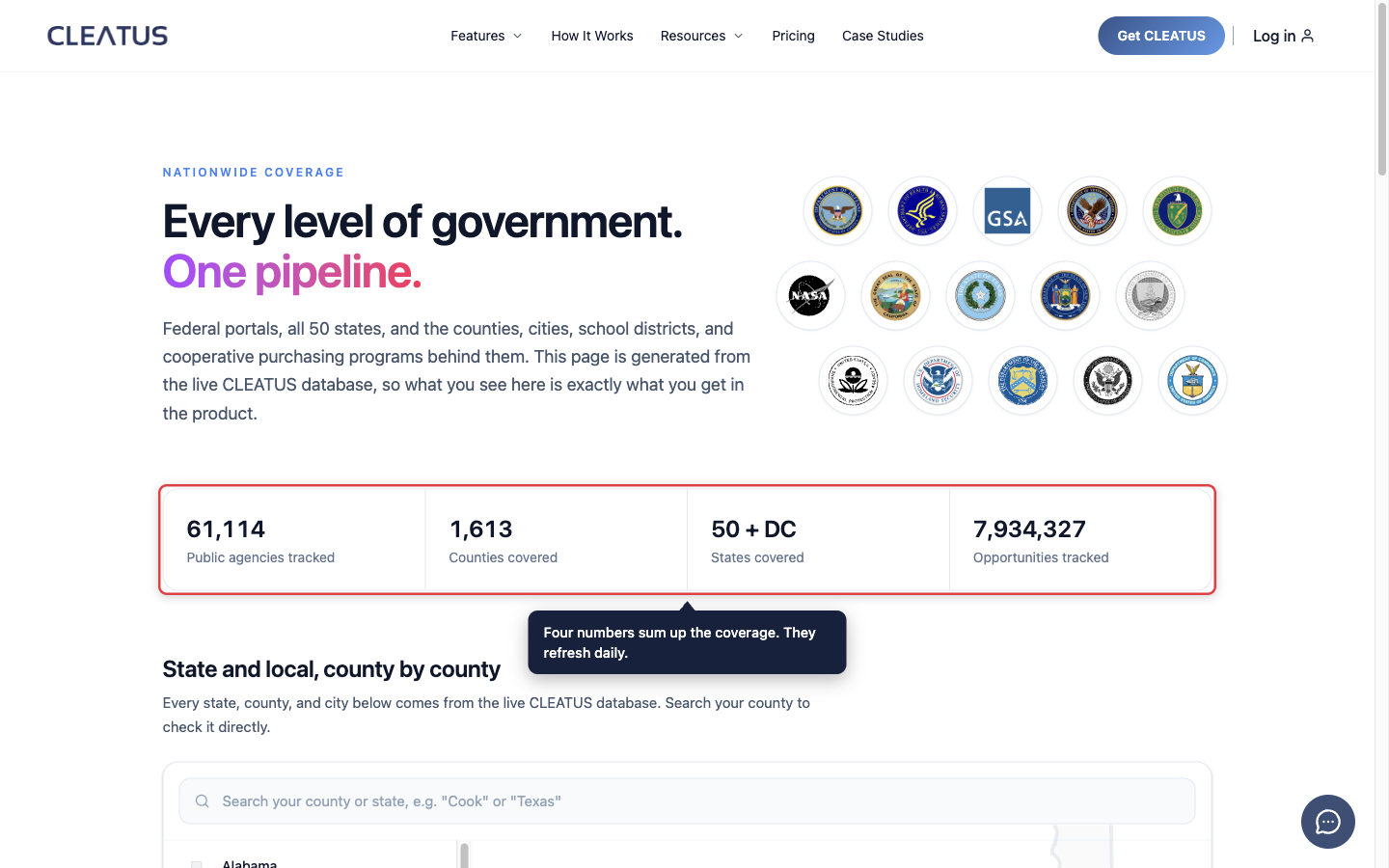
At the top of the page, four numbers sum up the coverage:
- Public agencies tracked
- Counties covered
- States covered: all 50 states plus Washington, DC.
- Opportunities tracked
Check your county or state
- Open the Coverage Explorer and scroll to State and local, county by county.
- In the search box, type at least two letters of a county or state name, for example "Cook" or "Texas".
- Click a result. A state result opens that state. A county result opens its state and highlights the county.
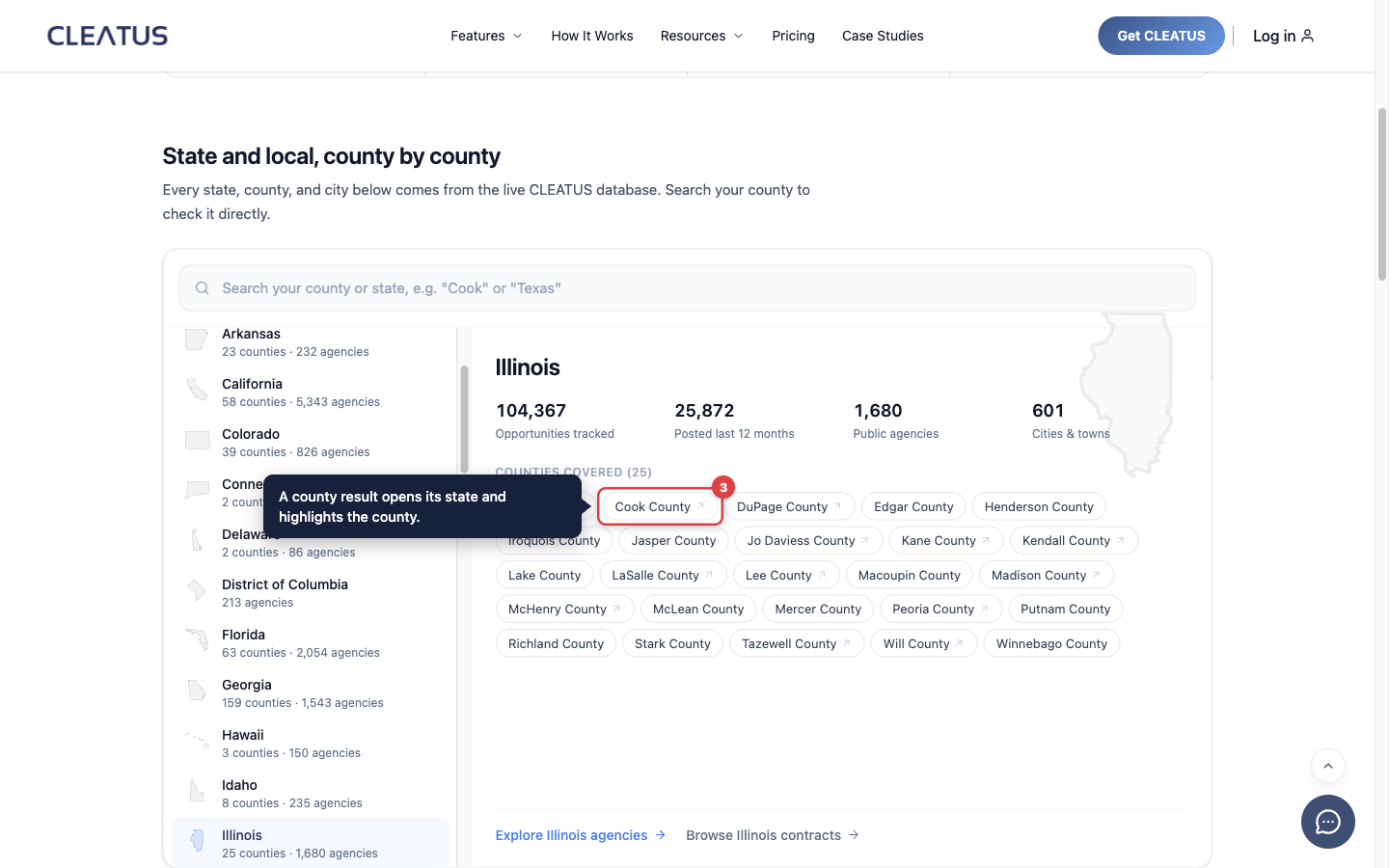
You can also click a state in the list on the left. Each row shows the number of counties and agencies in that state. The explorer opens on the state with the most tracked opportunities.
Read a state's coverage
The panel on the right shows the selected state:
- Opportunities tracked: all the state, local, and federal opportunities that CLEATUS has tracked in the state.
- Posted last 12 months: the opportunities posted in the past year.
- Public agencies: the number of public buyers that CLEATUS tracks in the state.
- Cities & towns: the number of cities and towns that CLEATUS covers in the state.
- Counties covered: one chip for each county. Click a linked county to open its agency page.
Some states buy through state, city, school district, and special district buyers, not county governments. For these states, the panel explains this and shows no county list.
Below the panel, two links use the name of the state. For example, Explore Texas agencies opens the agencies of Texas. Browse Texas contracts opens its contracts.
How to read a county result:
If a county shows in the explorer, CLEATUS tracks its opportunities today. CLEATUS checks county names against the 2020 Census county list.
Federal sources and cooperative programs
Below the explorer, the page lists the named sources:
-
Federal, wall to wall lists these sources:
- SAM.gov (System for Award Management)
- DLA DIBBS (the Defense Logistics Agency Internet Bid Board System)
- USASpending and the Federal Procurement Data System (FPDS)
- GSA eBuy (the General Services Administration eBuy portal)
- PIEE (the Procurement Integrated Enterprise Environment)
- Grants.gov
- SBIR/STTR topics (Small Business Innovation Research and Small Business Technology Transfer)
CLEATUS also uses agency forecasts and artificial intelligence (AI) pre-forecasts to find recompetes early.
-
Cooperative purchasing, included: Sourcewell, OMNIA Partners, NASPO ValuePoint, BuyBoard, and PEPPM. The page also lists three state schedules: Texas DIR, California CMAS, and Massachusetts OSD.
The Direct portal monitoring section explains that CLEATUS monitors federal, statewide, and major-city portals continuously. It also tracks amendments and cancellations. The Networks and cooperatives section explains how regional bid networks and cooperative programs add local buyers to the same pipeline. These buyers include counties, cities, and school districts.
Request a missing source
If a county, city, or portal that you sell to is missing, tell the CLEATUS team:
- In the explorer, a search with no result shows a tell us link. Click it to contact the team.
- If you have a CLEATUS account, click Live chat at the bottom of the dashboard sidebar. You can also email support@cleat.ai.
Include the name and the web address of the portal.
Use this coverage in CLEATUS
The opportunities from these sources appear in Contracts > Search and in your recommendations under Contracts > Recommended.
Related: Contract Search, Smart Opportunity Matching, and How to Get Help.